
Fortune Play Gaming (FPG) – Player Help Center & FAQs
Welcome to the official Mega Big Casino (MBC) Help Center — your go-to support hub for the GCash online casino experience in the Philippines. Whether you’re looking to claim your Welcome Bonus, download the MBC app, or track a real money withdrawal, our team has you covered.
Below, we’ve answered the questions our Filipino players ask us most. Mega Big Casino games run on independently tested RNG (Random Number Generator) software, so every outcome is fair and verifiable — and GCash and Maya withdrawals are processed as quickly as possible.
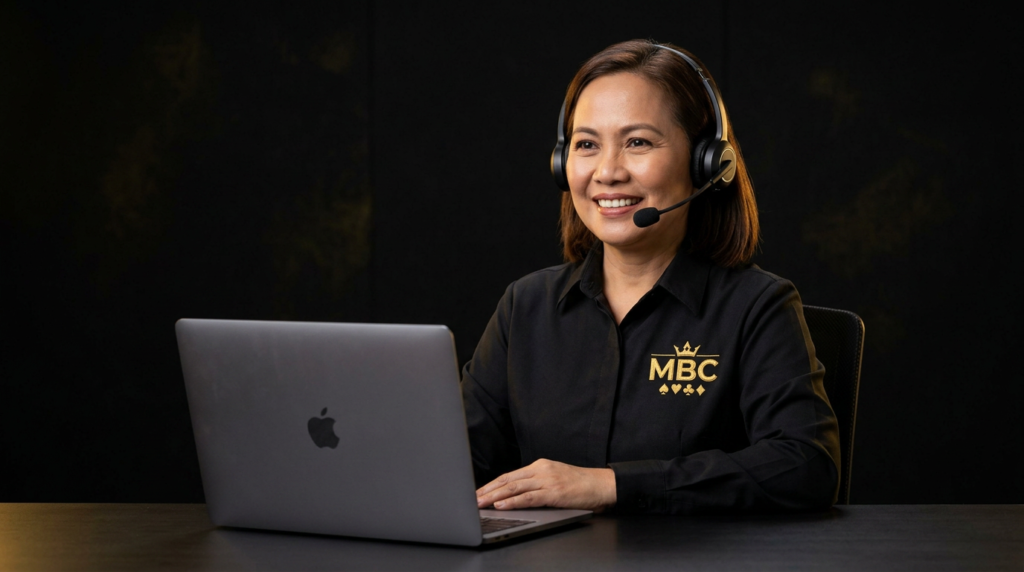
General Questions
What is Mega Big Casino (MBC)?
Mega Big Casino (MBC) is an online gaming platform built for players in the Philippines. We offer a wide library of games — including JILI Slots, Live Baccarat, Fishing Games, and Sports Betting. Players can enjoy a ₱888 Welcome Bonus, fast GCash payouts, and VIP rewards for regular players.
Is Mega Big Casino safe to play on?
Yes. MBC uses bank-grade SSL encryption to protect your personal data and funds, and our games run on RNG (Random Number Generator) software so outcomes are fair and verifiable.
How do I register for an MBC account?
Registration takes less than 60 seconds:
- Click the [Register] button on our site or app.
- Fill in your basic details.
- Enter the verification code shown on screen.
- You’re ready to play and claim your welcome bonus.
Is Mega Big the same as Mega Big Casino?
Yes! Mega Big, Mega Big Casino, and MBC all refer to the same official platform. Always make sure you’re on our official site or app to access your account securely.
Deposits & Fast Withdrawals
What payment methods do you accept?
We support trusted local payment options for Filipino players:
- E-wallets: GCash, Maya, GrabPay
- Bank transfer: BDO, BPI, UnionBank, Metrobank, and more
- Crypto: USDT (for VIP players)
How fast is the GCash withdrawal?
Most withdrawals via GCash and Maya are processed automatically in under 10 minutes. Larger bank transfers may take 1-2 hours depending on banking hours.
How do I deposit using GCash?
It’s simple:
- Log in and go to the “Deposit” section.
- Select GCash and enter your desired amount.
- Log in to your GCash app to confirm the payment.
- Funds are reflected in your MBC wallet instantly.
My deposit/withdrawal is delayed. What should I do?
While most transactions are fast, occasional network delays with GCash or Maya can happen.
- For deposits: Check if the money was deducted from your e-wallet.
- For withdrawals: Ensure you’ve met any turnover/wagering requirements tied to bonuses. If it takes longer than 30 minutes, contact our 24/7 Live Chat with your transaction ID.
Bonuses & Promotions
How do I claim the free ₱888 Welcome Bonus?
This bonus is designed for new players!
- Register a new account.
- Verify your account details.
- Go to the ‘Promotions’ tab and click “Apply” on the Welcome Bonus. Note: check the specific Terms & Conditions for wagering requirements.
What does "turnover" or "wagering requirement" mean?
Turnover is the amount you need to bet before you can withdraw free bonus winnings.
- Example: if you receive ₱100 with a 10x turnover, you must place ₱1,000 worth of valid bets. This doesn’t mean you have to lose ₱1,000 — just that your total wagers must reach that value.
What other bonuses does MBC offer?
We reward loyalty with Daily Reload Bonuses, Weekly Rescue Cashback (up to 5% of losses), Free Spins on new slots, and cash prizes in our Weekly Tournaments.
Account & Security
I forgot my password. How can I reset it?
No worries — just reach out to our Live Chat and one of our support agents will walk you through the reset process. We have a 24/7 human support team waiting for you — that’s right, real humans, no bots here.
Is my personal information safe?
Your privacy is our priority. We use 256-bit SSL encryption — the same security banks use — to protect your account and transaction history. We never share your data with third parties.
How do I update my personal details?
You can update your password and preferences in the “Account Settings” tab. For sensitive changes like your registered phone number or GCash name, please contact Customer Support for identity verification.
Technical Support & App
Do I need to download the app to play?
No, you can play directly on your browser (Chrome/Safari). However, we recommend downloading the official MBC Casino App (Android/iOS) for a smoother experience, lower data usage, and exclusive app-only bonuses.
The game froze while I was playing. Did I lose my money?
No. Our servers record every spin in real-time. If you get disconnected, simply refresh the page or restart the app. The game will resume exactly where it left off, and any winnings will be safely reflected in your balance.
Account Security & Banking Guide
Registration & username policy
Your identity is permanent. When creating your account, please choose your username carefully.
- Important: Once set, your username cannot be changed. It’s your unique VIP identity at MBC.
- Recommendation: Choose a name that’s easy for you to remember but hard for others to guess.
- Security tip: The initial password provided during setup is temporary. For your safety, please change your login password immediately after your first login.
Binding bank & GCash accounts (data integrity)
One name, multiple accounts. To prevent fraud and money laundering, our system enforces strict binding rules:
- Limit: You can bind up to 5 different withdrawal accounts (e.g., GCash, Maya, BDO, BPI).
- The golden rule: The account holder’s name on all bound cards/wallets must match the name registered to your MBC account.
- Warning: Once a name is bound to your account, it cannot be modified. Please double-check your details before saving to ensure your withdrawals are never delayed.
How to secure your MBC account
Your money, your security. After registering, please complete these 3 steps to lock down your account:
- Update passwords: Change your login password and set a strong withdrawal PIN (fund password) immediately.
- Bind withdrawal methods: Link your personal GCash or bank account so you’re ready to cash out instantly.
- Device safety: Never share your password or PIN with anyone — even support staff will never ask for your password. Regularly scan your computer/phone for malware to prevent unauthorized access.
Need More Help?
We’re always online! If you couldn’t find your answer, our friendly local support team is ready to assist you 24/7.
- Live Chat: fastest option, average response time under a minute